Generating Outlines
BestSEOArticles uses a multi-step outline wizard to turn one target keyword into a detailed article blueprint. The wizard combines market analysis, competitor selection, writing preferences, and structure planning before it generates the final outline.
Why outlines matter in this workflow
The outline is where strategy becomes concrete. Instead of asking the article generator to improvise from a blank prompt, you first define the exact structure, keyword support, content angle, FAQ coverage, and section-level writing guidance.
Where to start
Open a project and click Generate Outline. You will land on the outline wizard.
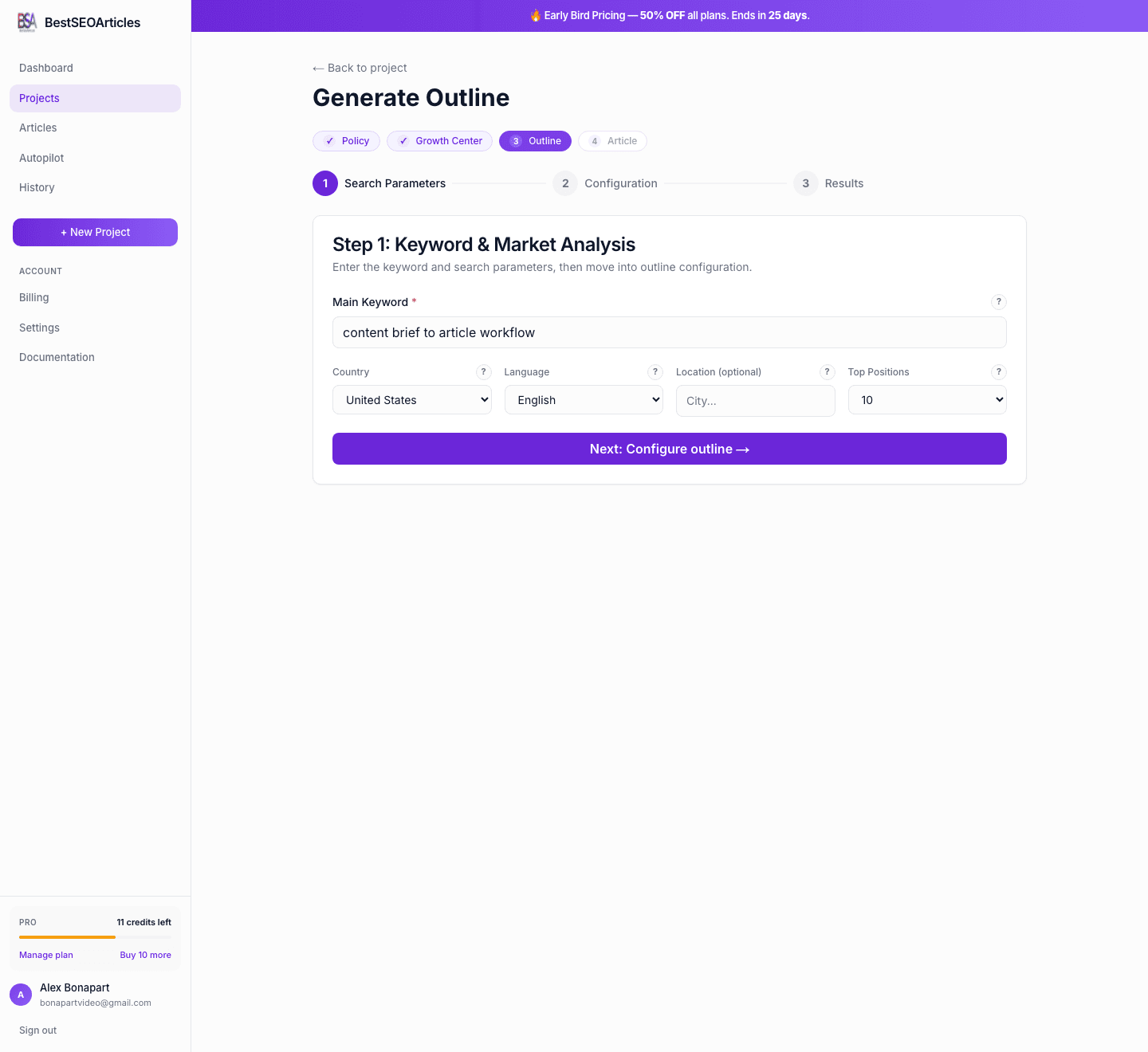
Step 1: Keyword and market analysis
The first step defines the research context. This is where BestSEOArticles decides which market to inspect and which search results should influence the outline.
- Main keyword, the primary search phrase the article should target.
- Country, controls which SERP market should be analyzed.
- Language, controls the content language and research language.
- Location, optional local context for city-specific or regional SEO.
- Top positions, choose whether to analyze the top 10 or top 20 results.
When you click Next: Configure outline →, the system gathers initial research and prepares the configuration step.
Step 2: Configure the outline
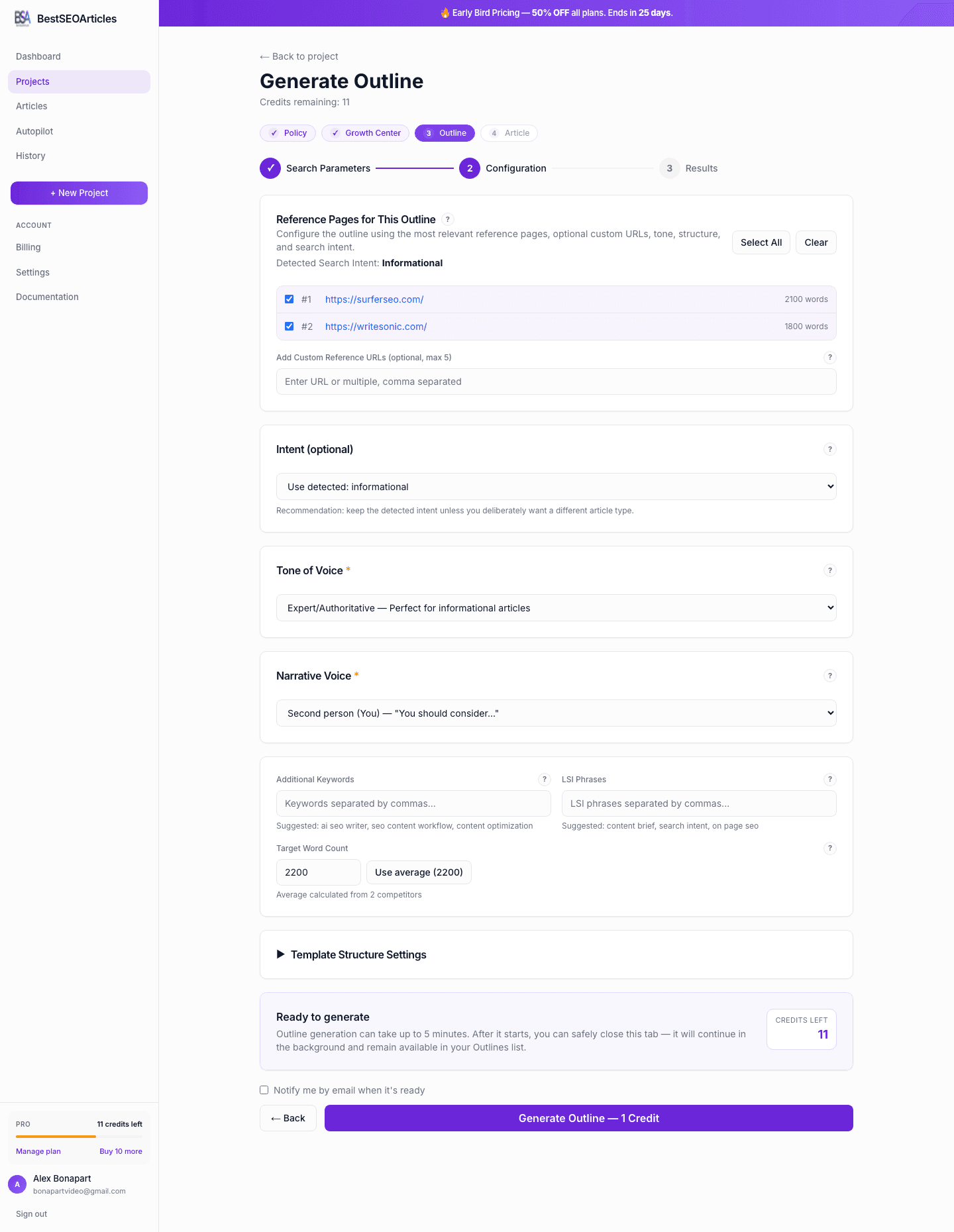
After the keyword analysis finishes, the wizard moves into the configuration screen. This is where you decide how the final outline should be shaped.
Competitor selection
Select the competitor pages that should influence the outline. You can also add custom URLs if there are reference pages the system did not surface automatically.
- Use the strongest pages that actually match the search intent.
- Add your own reference URLs when you know the niche better than the SERP sample.
- Think of this step as choosing what the model should learn from, not what it should copy.
Tone of voice
Choose how the outline should position the future article. This affects heading style, copywriter notes, and the general framing of the content.
- Expert / Authoritative for specialist or trust-heavy content.
- Professional / Corporate for polished B2B and business-facing content.
- Friendly / Conversational for approachable education and product-led blogs.
- Analytical / Informative for comparisons, research-led pages, and objective explainers.
- Practical / Advisory for implementation guides and actionable tutorials.
- Custom when the brand needs a more specific editorial profile.
Narrative voice
Pick the point of view that should carry into the finished article: first person singular, first person plural, second person, or third person. The choice should match the editorial style you defined in Editorial Policy.
Keywords and target length
Add supporting keywords, LSI phrases, and a target word count. BestSEOArticles suggests a word count automatically, but you can override it when you know the ideal scope for the page.
Template structure
Advanced structure options let you choose niche-specific patterns or define a custom structure. Use this when you want the final outline to follow a specific article template instead of the platform’s default structure.
Step 3: Generation
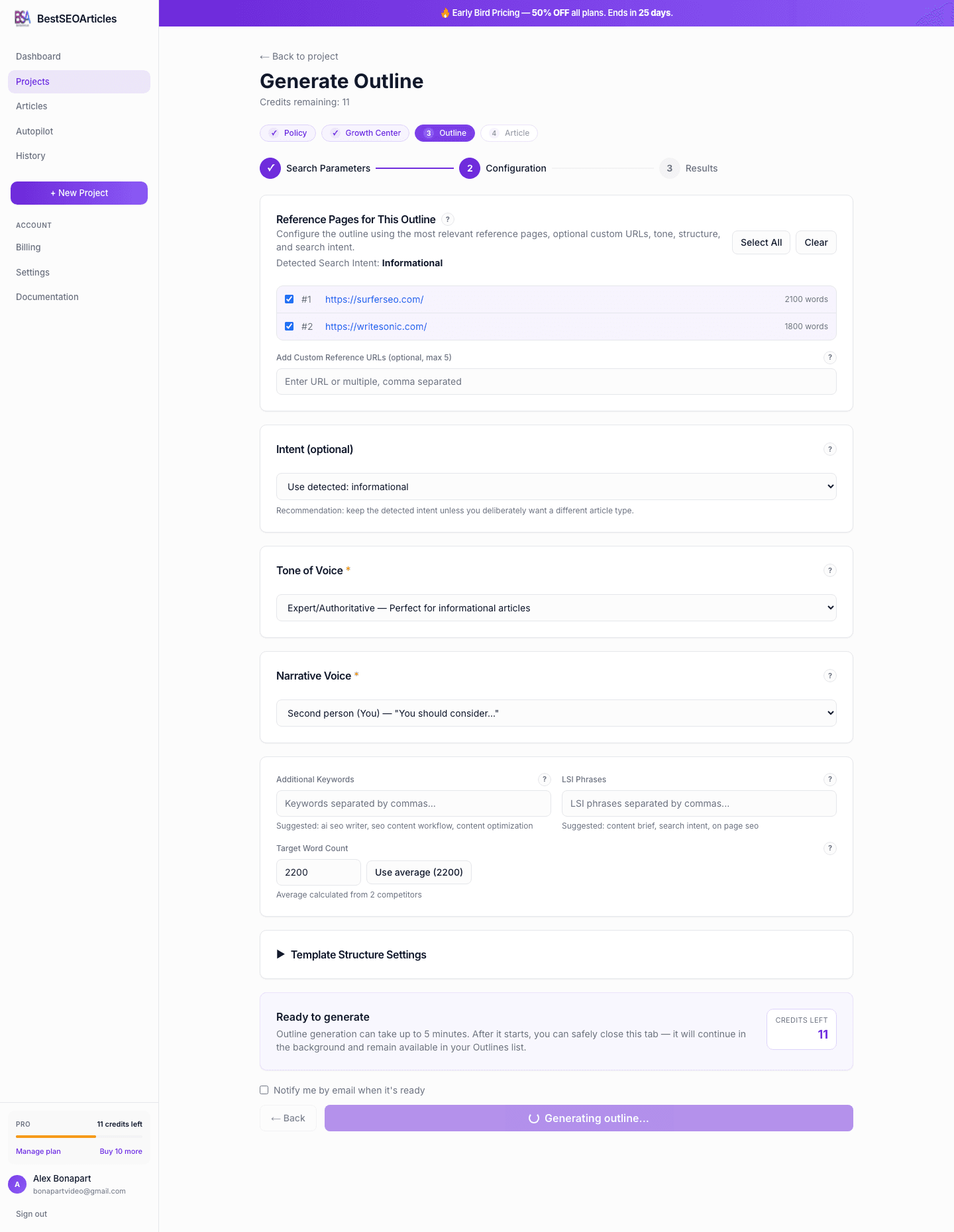
When you click Generate Outline, 1 Credit, the system starts the final outline job.
What you get in the final outline
Once generation completes, BestSEOArticles redirects you to the outline preview page.
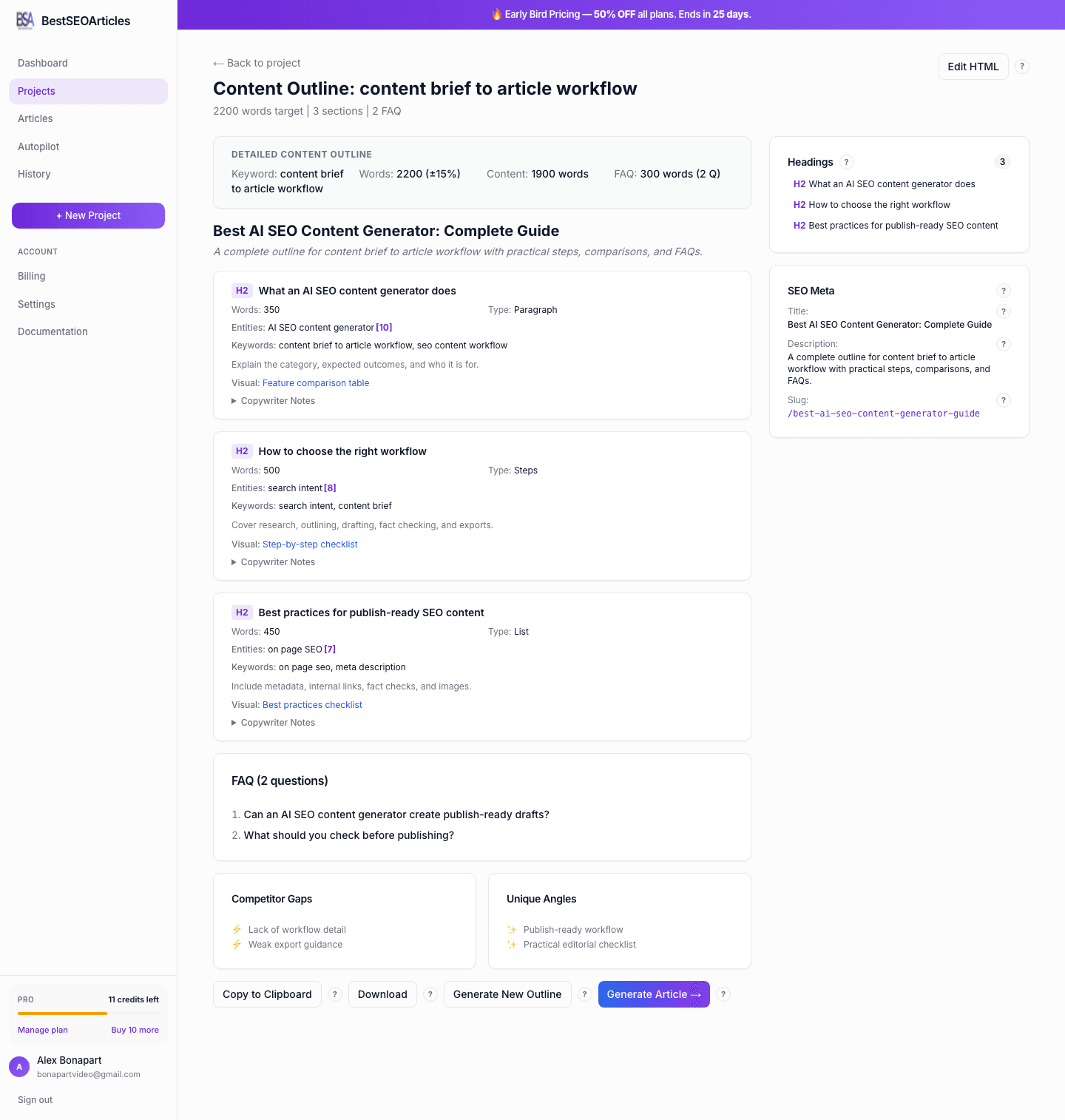
- Title, the proposed H1 for the article.
- Meta title and description, search-ready metadata suggestions.
- Section plan, H2/H3 structure with target word counts.
- Keywords per section, relevant supporting terms for each area of the article.
- Entities to cover, concepts and proper nouns with relevance hints.
- Copywriter notes, instructions for what each section should accomplish.
- Visual guidance, recommendations such as list, table, or other content formats.
- FAQ block, additional search intent coverage for common questions.
- Competitor gaps and unique angles, opportunities to differentiate your article.
When to edit the outline before generating the article
- Edit the outline if the keyword angle is slightly off.
- Edit if your business needs a different conversion flow or stronger positioning.
- Edit if you want to inject specific proof, features, or differentiators before article generation.
Credits
Step 1 research is effectively the preparation stage. The charge happens when you run the final outline generation in Step 2. In the current workflow, each completed outline costs 1 credit.
Next step
From the outline preview, click Generate Article → and continue with Generating Articles.