Settings & Account
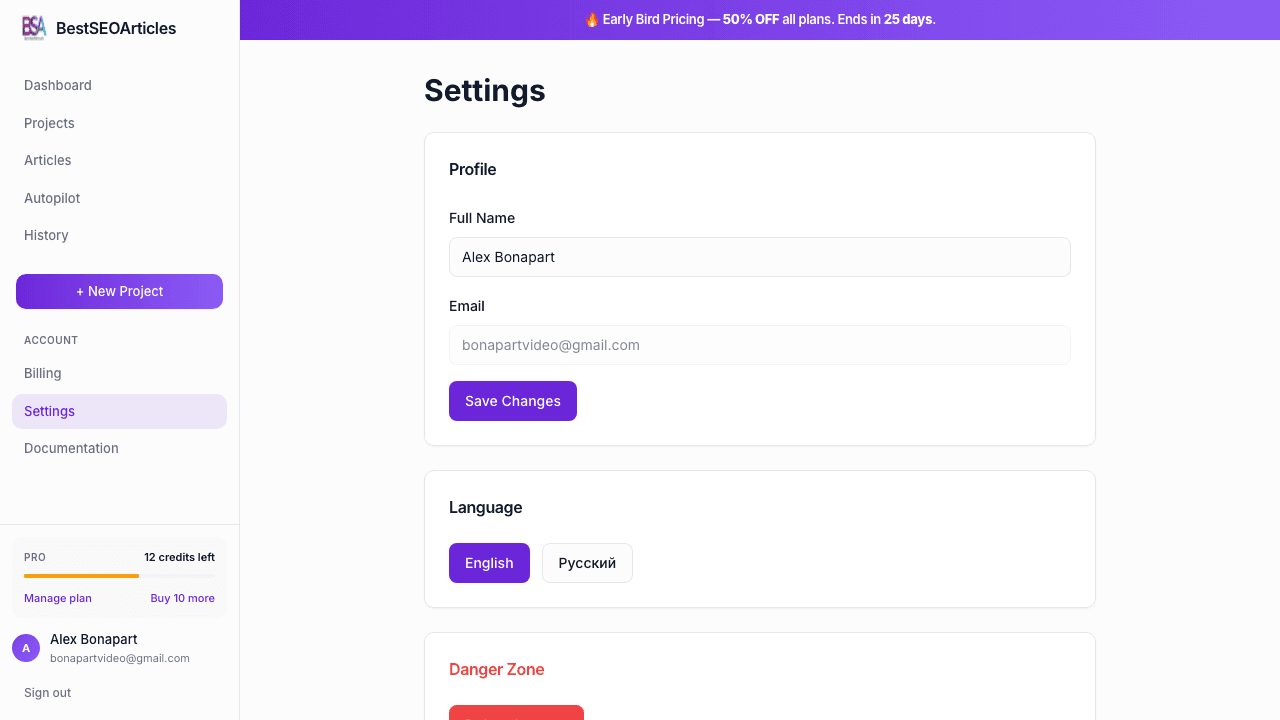
The Settings area contains your account-level preferences: profile information, interface language, and destructive account controls.
Profile
The profile card lets you manage the user-facing name tied to your account. Your email address is shown for reference, but it is not edited from this screen.
- Full Name, the editable profile field stored for your account.
- Email, displayed as a non-editable account identifier.
- Save Changes, persists updates to your profile.
Language
BestSEOArticles currently exposes interface language switching directly on the settings page. The current UI offers English and Русский as account-level interface choices.
This affects the app interface language. Your project content language is configured separately during project and generation workflows.
Danger Zone
The bottom section contains destructive account actions. Treat this area carefully.
- Delete Account signs the user out and begins the destructive account flow.
- Always review saved content and exports before using destructive account actions.
What settings does not control
- Billing is handled separately in Billing & Credits.
- Project defaults such as editorial policy and content language live at the project level.
- Publishing destinations are configured in Publishing Connections.
Recommended account hygiene
- Keep your profile name current if multiple team members touch the account.
- Set the interface language that matches your operational workflow.
- Use Billing for subscription changes and Settings for identity/preferences only.